

Hard cast shadows
A phone, a hat brim, another person, or a window frame drops a sharp shadow edge right across the face. The AI erases the edge and rebuilds the skin underneath with its true tone.
Remove harsh shadows from faces in selfies, portraits, and outdoor photos with one click. The AI relights the skin evenly and keeps your face exactly as it is — no smoothing, no reshaping, no beauty filter.
Upload Image to Remove Shadows
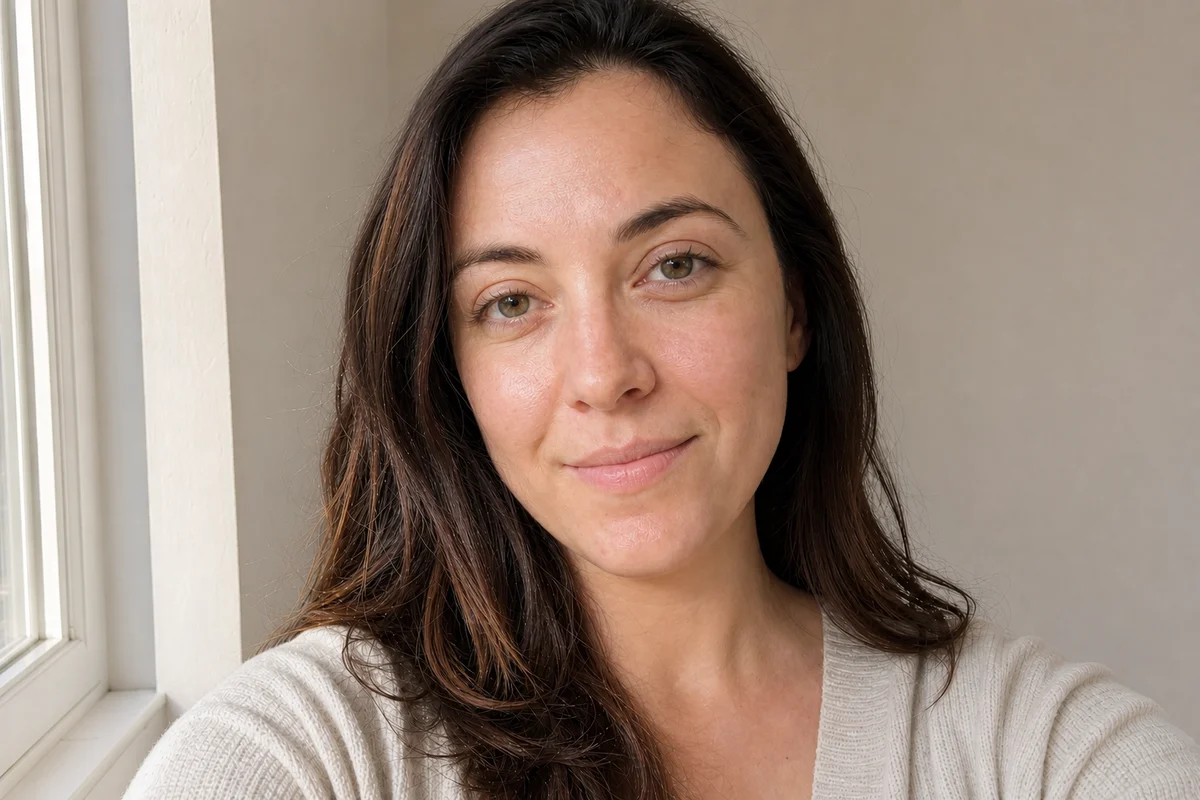
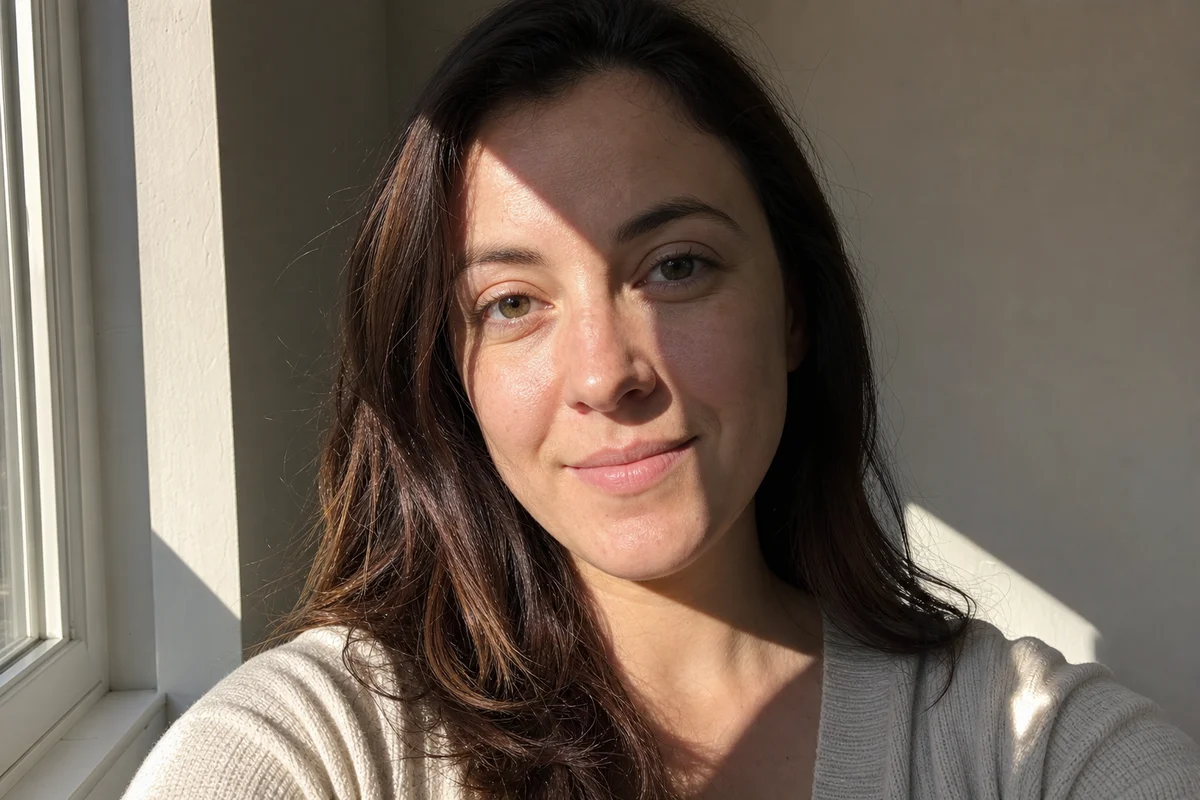
No image handy? Try a sample:
Costs 5 credits · No card needed to start
Face shadows
A shadow on the face is the fastest way to ruin an otherwise good photo — and the hardest thing to fix by hand, because skin tone has to stay continuous across the shadow line. The face shadow remover detects where the shadow falls, then relights that skin to match the rest of the face. All of these can appear in one photo, and they are handled together in a single pass.
A phone, a hat brim, another person, or a window frame drops a sharp shadow edge right across the face. The AI erases the edge and rebuilds the skin underneath with its true tone.
Strong side light splits the face into a bright half and a dark half. The AI evens both sides into one continuous skin tone.
Midday sun sinks the eyes into dark sockets and drops a nose shadow over the mouth — classic ruined outdoor portrait.
Loose hair and glasses frames drawing shadow streaks across the face, plus the head shadow on the wall behind you — all cleared in the same pass.
How it works
No masks, no layers, no retouching skills — fixing a shadow on a face takes three steps and about half a minute.
Drag and drop the selfie or portrait with the face shadow. JPG and PNG up to 10MB work, straight from your phone or camera.
Portrait mode is preset on this page. The AI finds every shadow on the face and neck and rebuilds the skin with even, natural light.
Check the before/after slider — same face, same expression, just evenly lit — then download in up to 4K.
Why it looks natural
Most apps that remove a shadow on a face also quietly retouch it, and generic AI editors regenerate the whole image — which is why results come back with smoother skin, a slightly different jawline, or a younger-looking face. This tool is built on the opposite rule: when removing the shadow and keeping the face identical ever conflict, keeping the face wins. That rule is enforced in the AI itself, not just promised in marketing copy.
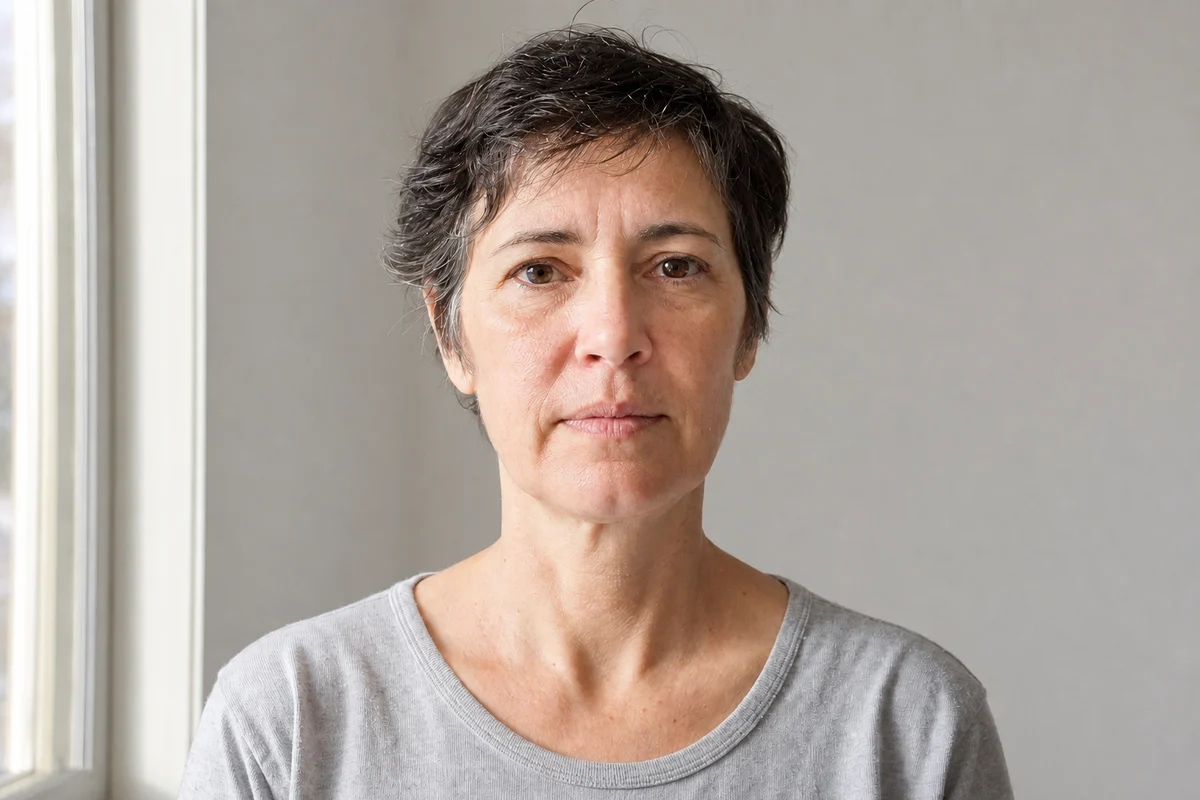
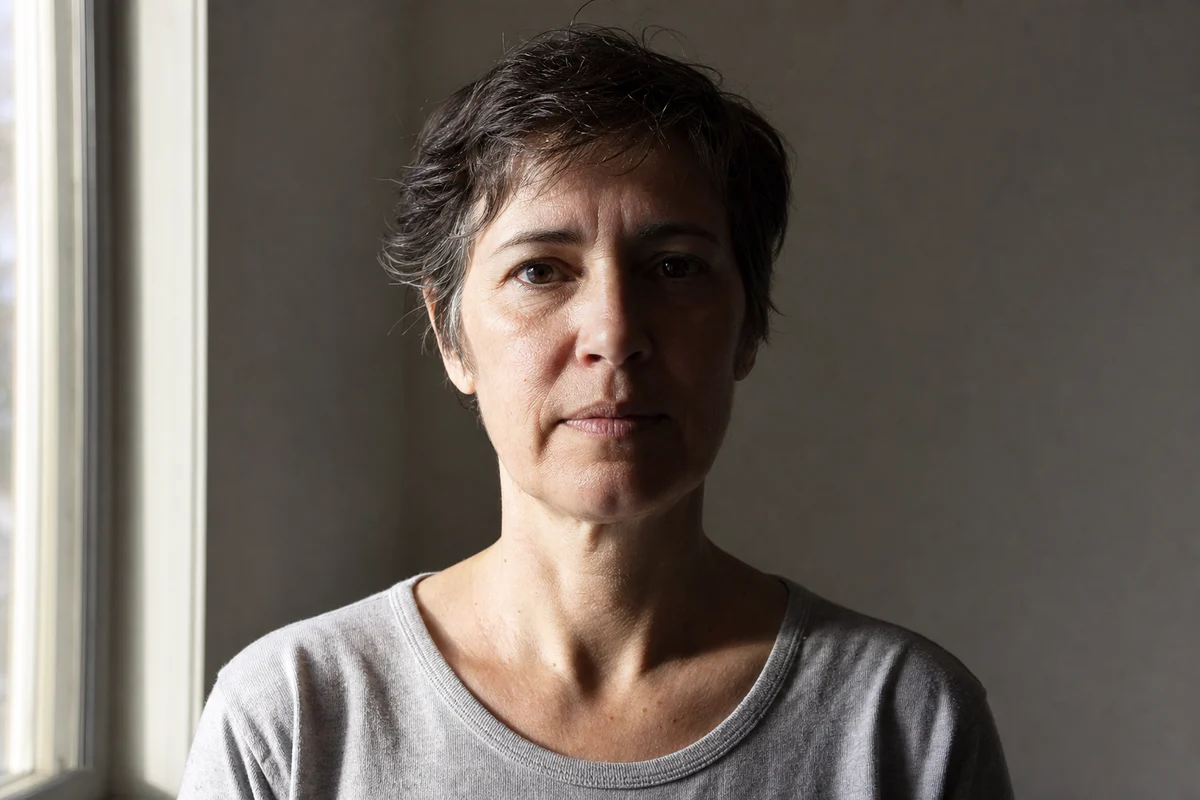
Same bone structure, same eye shape, same expression, same age. The AI is explicitly constrained to relight the face without redrawing it, so the person in the result is recognizably the person you photographed.
The AI is instructed never to smooth, slim, or de-age. Pores, fine lines, freckles, and stubble survive in the recovered areas, and the relit skin matches the brightness and warmth of the parts that were already lit — no airbrushed patch, no visible boundary where the shadow used to be.
Compare the original and edited face carefully. This tool does not certify biometric measurements, guarantee unchanged facial geometry or confirm acceptance by an issuing authority.
On extreme shadows the AI prefers leaving a faint trace over inventing a new face — you never get a stranger back.
Face photos are sensitive. Uploads are encrypted, deleted automatically after processing, and never used for training.
Use cases
Most face shadows show up exactly where a reshoot is impossible — the moment has passed, or the photo is already the best one you have. These are the photos people fix here every day.
Golden-hour and midday selfies with a shadow slicing across the face — the classic case, and the one the AI handles best.
LinkedIn, CV, team-page, and dating profile photos where half-dark lighting reads as unflattering or unprofessional.
One face in the group always ends up in another person's shadow. Relight it without touching the rest of the picture.
Searching how to remove a shadow on a face in Photoshop leads to frequency-separation tutorials; retouch apps like Facetune brighten and smooth the whole face instead. Here is how the options compare when the goal is just an evenly lit, unchanged face.
| Method | Best for | What happens to the face |
|---|---|---|
| AI face shadow remover (this tool)Face-safe | Selfies, portraits, outdoor shots — any face photo where the shadow should go and the person should stay identical. | Relit only. Features, expression, age, and skin texture are preserved by design. |
| Photoshop (dodge & burn, frequency separation) | Professional retouchers who need pixel-level control and have time to blend skin tones manually. | Depends entirely on skill — matching skin tone across a hard shadow edge by hand takes 30–60 minutes per photo. |
| Retouch apps (Facetune-style) | Quick glow-ups where you want smoothing and brightening anyway. | The shadow fades, but so does your skin texture — the whole face gets the beauty-filter treatment. |
| Phone brightness & shadows sliders | Faint, soft shadows on an otherwise well-lit photo. | Lifting shadows globally washes out the photo; a hard shadow edge on the face stays clearly visible. |
Common questions about removing shadows from faces, selfies, and portraits.
Upload the photo to the face shadow remover above and click start — Portrait mode is already selected on this page. The AI finds the shadows on the face and neck, relights the skin evenly, and you download the result in seconds. No Photoshop, no masking, no editing skills.
No — that is the core promise of this tool. The AI is explicitly constrained to keep the same bone structure, eyes, expression, age, and skin texture. It only changes the lighting. If fully removing a shadow would require altering your features, it prefers leaving a faint trace of the shadow instead.
Yes. Side-lit portraits where one half of the face is bright and the other half is dark are one of the most common cases. The AI rebuilds the dark half to match the lit half — one continuous skin tone with no visible boundary down the middle.
Yes. Hair strands, hat brims, glasses, and other people all drop hard-edged shadows across faces. The AI erases the shadow edge and restores the skin underneath, while leaving the hair or hat itself exactly where it is.
The tool can even out face and backdrop shadows on a passport-style portrait, but it cannot make the file acceptable. The U.S. Department of State, for one, asks for an original photo without digital changes, so a shadowed passport photo should be retaken. Other authorities set their own rules. Limits and the official source are on the ID Photo Shadow Remover page.
No app needed — this face shadow remover runs in the browser. Open this page on your phone, upload the selfie, and download the fixed photo. It works the same on iPhone, Android, and desktop.
Retouch apps brighten and smooth the entire face, so the shadow fades but your skin turns plastic. This tool does the opposite: it relights only the shadowed areas and deliberately preserves pores, fine lines, and texture. You look like yourself in better light — not like a filter.
You can try it for free — new users get starter credits and no card is required. After that, each image costs from 3 credits depending on the AI model and resolution. See the pricing page for packs and subscriptions.
This page is tuned for faces, but the same AI handles product shots, documents, and full scenes. For anything that is not a portrait, use the general remove shadow from photo tool and pick the mode that matches your image. If you want to compare AI with Photoshop, Canva, and phone editors before you start, read our guide on how to remove shadows from pictures.
Upload a selfie or portrait and get an evenly lit face back — same face, better light, free to try.